09:41:00

Lazy Components in React and Vue: Load Less, Hydrate Later

A practical guide to code splitting and lazy hydration with React.lazy, Suspense, defineAsyncComponent, and Vue 3.5 hydration strategies, including the mistakes that cancel the benefit.

Published
Reading time
9 min read
  • react
  • vue
  • lazy-loading
On this page

The fastest code is code the browser never has to download. As an application grows, its JavaScript bundle grows with it, and every kilobyte on the critical path delays the moment the page becomes useful.

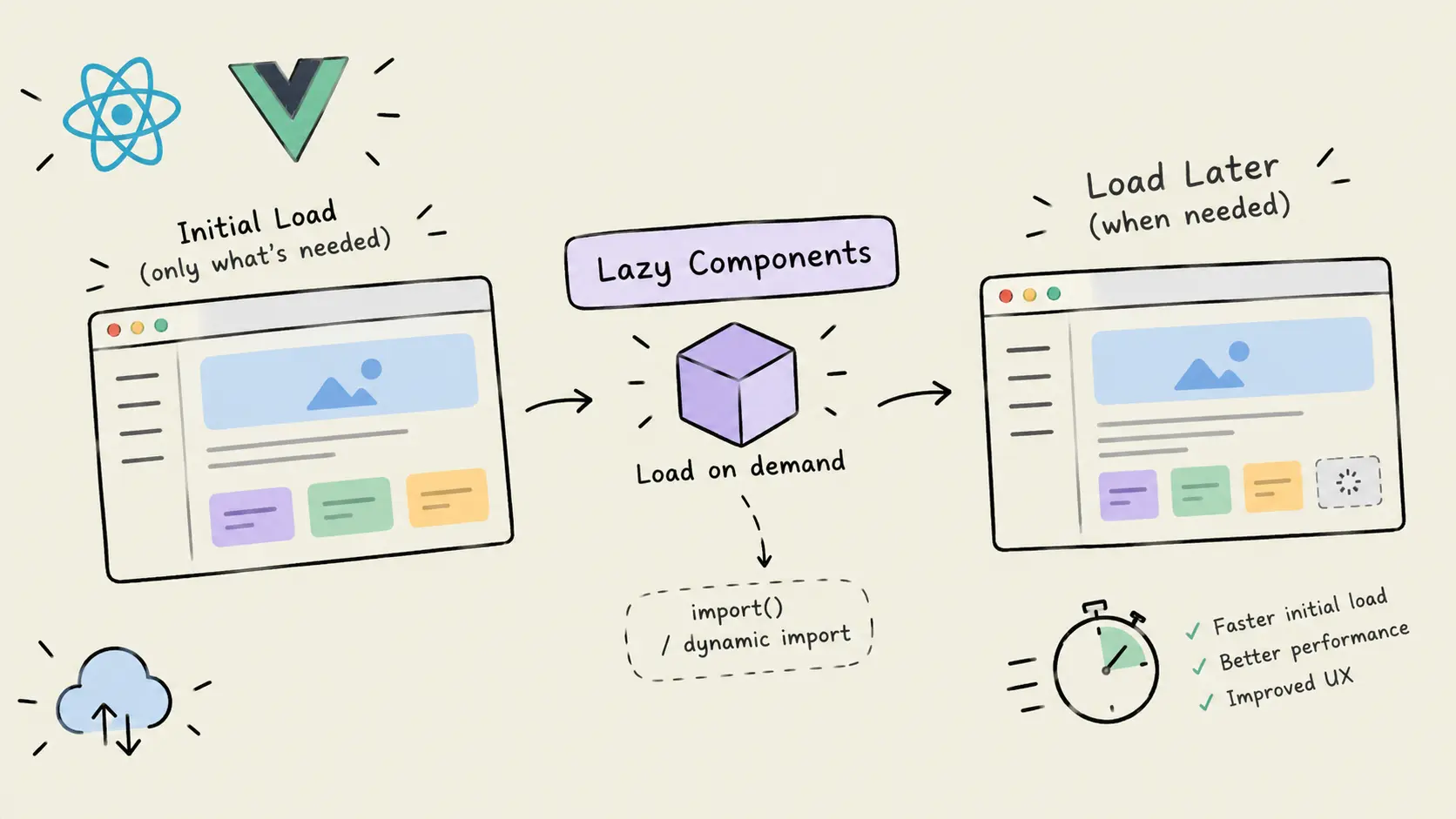
Lazy loading attacks that problem directly. Instead of shipping every component up front, you split the bundle and fetch the heavy parts only when they are needed: when a route opens, when a modal is requested, or when a section scrolls into view.

This guide covers how to do it in React and Vue, and how to avoid the mistakes that quietly cancel the benefit.


The Idea: Dynamic Imports

Both frameworks build on the same browser feature, the dynamic import(). A bundler treats each dynamic import as a split point and emits a separate chunk that is downloaded on demand.

typescript
// Static import: always part of the main bundle
import { Chart } from './Chart'

// Dynamic import: becomes its own chunk, fetched when called
const { Chart } = await import('./Chart')

Lazy components are a thin layer on top of this that plugs the loading state into the framework's rendering.


Lazy Components in React

React.lazy and Suspense

React.lazy takes a function that returns a dynamic import, and Suspense shows a fallback while the chunk loads.

tsx
import { lazy, Suspense, useState } from 'react'

const AnalyticsChart = lazy(() => import('./AnalyticsChart'))

export function Dashboard() {
  const [showChart, setShowChart] = useState(false)

  return (
    <section>
      <button onClick={() => setShowChart(true)}>Show analytics</button>

      {showChart && (
        <Suspense fallback={<p>Loading chart…</p>}>
          <AnalyticsChart />
        </Suspense>
      )}
    </section>
  )
}

React.lazy expects a module with a default export. If a component is a named export, map it:

tsx
const AnalyticsChart = lazy(() =>
  import('./AnalyticsChart').then((module) => ({ default: module.AnalyticsChart })),
)

Split at the route level first

The biggest wins usually come from routes. Visitors to the home page should not download the settings page.

tsx
const SettingsPage = lazy(() => import('./pages/SettingsPage'))
const ReportsPage = lazy(() => import('./pages/ReportsPage'))

<Suspense fallback={<PageSkeleton />}>
  <Routes>
    <Route path="/settings" element={<SettingsPage />} />
    <Route path="/reports" element={<ReportsPage />} />
  </Routes>
</Suspense>

Next.js dynamic imports

In Next.js, next/dynamic wraps the same idea and adds options such as a loading component and ssr: false for browser-only code:

tsx
'use client'

import dynamic from 'next/dynamic'

const MapView = dynamic(() => import('./MapView'), {
  ssr: false,
  loading: () => <div className="h-80 animate-pulse rounded-xl bg-neutral-200" />,
})

Note that ssr: false is meant for Client Components. In the App Router, put the dynamic import inside a file marked with 'use client'.


Lazy Components in Vue

defineAsyncComponent

Vue's equivalent is defineAsyncComponent, which accepts a loader and, optionally, components for the loading and error states.

vue
<script setup lang="ts">
import { defineAsyncComponent, ref } from 'vue'

const AnalyticsChart = defineAsyncComponent({
  loader: () => import('./AnalyticsChart.vue'),
  loadingComponent: ChartSkeleton,
  errorComponent: ChartError,
  delay: 200, // wait before showing the loading state
  timeout: 10000,
})

const showChart = ref(false)
</script>

<template>
  <button @click="showChart = true">Show analytics</button>
  <AnalyticsChart v-if="showChart" />
</template>

The delay option avoids a flash of skeleton when the chunk arrives quickly, which is a common source of jitter.

Lazy routes

Vue Router supports lazy routes natively. A function that returns a dynamic import creates a chunk per route:

typescript
const routes = [
  { path: '/', component: () => import('./pages/HomePage.vue') },
  { path: '/reports', component: () => import('./pages/ReportsPage.vue') },
]

Lazy hydration in Vue 3.5

Loading code later is one half of the problem. In a server-rendered app, the HTML is already there, and the cost is hydration: running the component's JavaScript to make it interactive. Vue 3.5 added strategies for delaying that work on async components:

typescript
import {
  defineAsyncComponent,
  hydrateOnIdle,
  hydrateOnVisible,
  hydrateOnInteraction,
} from 'vue'

// Hydrate when the browser is idle
const Comments = defineAsyncComponent({
  loader: () => import('./Comments.vue'),
  hydrate: hydrateOnIdle(),
})

// Hydrate when it scrolls into view
const Reviews = defineAsyncComponent({
  loader: () => import('./Reviews.vue'),
  hydrate: hydrateOnVisible(),
})

// Hydrate on the first click or hover
const ShareMenu = defineAsyncComponent({
  loader: () => import('./ShareMenu.vue'),
  hydrate: hydrateOnInteraction(['click', 'mouseover']),
})

Nuxt builds on the same capability with Lazy-prefixed components and hydration props, so the pattern is available without writing the wrappers yourself.


What to Lazy-Load, and What Not To

Good candidates:

  • Routes that the visitor may never open.
  • Modals, drawers, and menus that appear after a click.
  • Heavy libraries: charts, rich text editors, maps, code highlighters.
  • Below-the-fold sections such as reviews, comments, and footers with large widgets.

Poor candidates:

  • Anything above the fold. Lazy loading the hero delays the largest contentful paint, which is the opposite of the goal.
  • Tiny components. A chunk has request overhead; splitting a 2 KB component costs more than it saves.
  • Components needed immediately after load. If a component will be requested a moment later anyway, load it eagerly.

Mistakes That Cancel the Benefit

Waterfalls

If a lazy route loads, then renders a lazy component, which then fetches data, each step waits for the previous one. Start requests as early as you can: load the chunk and the data in parallel rather than in sequence.

Layout shift

A fallback that is a different size from the final component pushes content around when it appears. Reserve the space with a skeleton of the right dimensions, or a fixed aspect ratio.

Loading too late

Lazy does not have to mean slow. Preload a chunk when the user shows intent, for example on hover or focus, so the click feels instant:

tsx
const loadSettings = () => import('./pages/SettingsPage')
const SettingsPage = lazy(loadSettings)

<a href="/settings" onMouseEnter={loadSettings} onFocus={loadSettings}>
  Settings
</a>

The browser caches the module, so the later lazy call resolves immediately.

Over-splitting

Dozens of tiny chunks create many requests and fragment caching. Split at meaningful boundaries, then check the result with a bundle analyzer instead of guessing.

Forgetting error handling

A chunk can fail to load: the network drops, or a deployment replaced the file the page still references. Wrap lazy components in an error boundary in React, or use errorComponent in Vue, and offer a retry.


A Quick Comparison

Concern React Vue
Lazy component React.lazy defineAsyncComponent
Loading state Suspense fallback loadingComponent and delay
Error state Error boundary errorComponent
Lazy routes lazy + Suspense in the router () => import(...) in the route
Delay hydration Suspense boundaries enable selective hydration in server rendering hydrateOnIdle, hydrateOnVisible, and more

Takeaway

Lazy components are a simple tool with a clear rule: load what the visitor needs now, and defer the rest. Split by route first, then by heavy or rarely used components, reserve space for fallbacks, preload on intent, and measure the outcome. Done with care, the page becomes interactive sooner, and the code you defer is code many visitors never pay for at all.

  • #react
  • #vue
  • #lazy-loading
  • #code-splitting

Share

Comments

Join the conversation

Sign in with GitHub to leave a comment on Lazy Components in React and Vue: Load Less, Hydrate Later.

Pip · Personal AI assistant

What would you like to know?

I'm Pip. I know Saleh's experience, projects, writing, and how to work with him.

Answers are AI-generated and can be wrong.

Attachments

100%