09:41:00

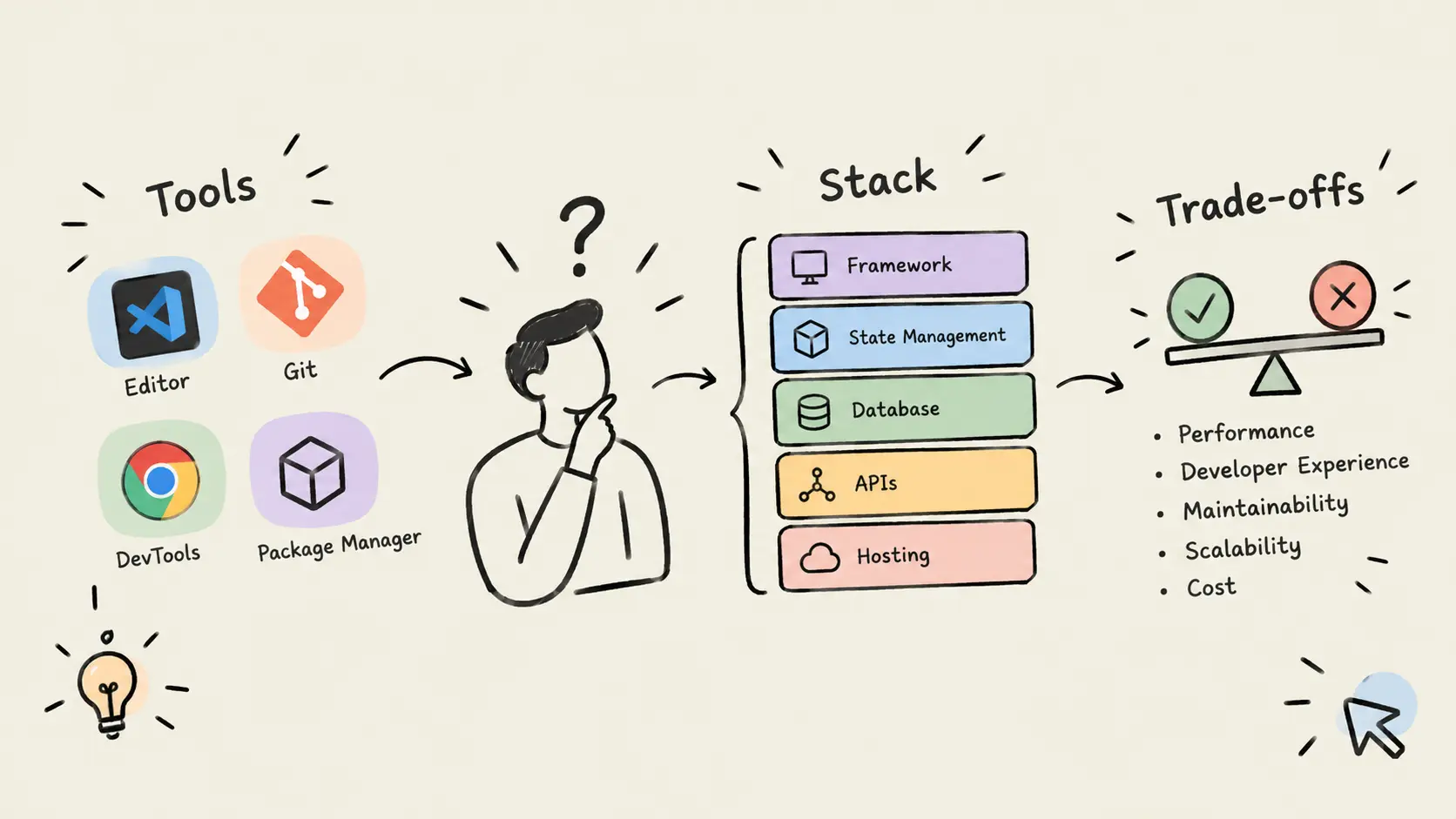
The Frontend Decisions That Actually Move the Needle: Tools, Stack, and Trade-offs

Which frontend technology choices have a real impact on speed, quality, and team velocity, and which are mostly noise. A practical framework for choosing a stack.

Published
Reading time
9 min read
  • frontend
  • tech-stack
  • tooling
On this page

Frontend moves quickly, and every month brings a new framework, a faster bundler, or a library that promises to replace the one you just learned. It is easy to spend more energy choosing tools than building with them.

The useful question is not "what is newest?" but "which decisions will change the outcome for users and for the team?" Some choices compound for years. Others look important and barely matter.

This article sorts them, from the decisions with the biggest effect down to the ones worth less debate.


1. Rendering Strategy: The Decision Behind Most Performance Results

Before choosing a framework, decide how pages reach the browser. This choice shapes load speed, search visibility, and infrastructure cost more than any library does.

Approach Best for Trade-off
Static generation / islands Landing pages, blogs, docs, portfolios Less suited to heavily personalized pages
Server rendering Content that changes per request, SEO-sensitive apps Needs a server and caching strategy
Single-page app Dashboards, editors, tools behind a login Slower first load, weaker default SEO
Hybrid Mixed products More concepts to manage

A marketing site built as a client-rendered single-page app pays a JavaScript cost for no benefit. A complex dashboard built as static pages fights its own architecture. Matching the strategy to the product removes problems that no amount of optimization fixes later.


2. TypeScript: Cheap Insurance With Compounding Returns

Static types catch an entire class of mistakes before they reach a browser: wrong prop names, missing fields, and misread API responses. The benefit grows with team size and project age, because types act as documentation that cannot drift out of date.

The practical advice:

  • Turn on strict mode from the start; adding it later is painful.
  • Type the boundaries first: API responses, form data, and shared utilities.
  • Validate untrusted data at runtime with a schema library, since types vanish when the code runs.
typescript
import { z } from 'zod'

const UserSchema = z.object({
  id: z.string(),
  name: z.string(),
  email: z.string().email(),
})

export type User = z.infer<typeof UserSchema>

export async function fetchUser(id: string): Promise<User> {
  const response = await fetch(`/api/users/${id}`)
  return UserSchema.parse(await response.json())
}

One definition gives both the runtime check and the type.


3. Separate Server State From Client State

A large share of "state management" problems come from treating everything as one kind of state. They are two:

  • Client state: UI toggles, form drafts, the open modal. It lives in the browser and is small.
  • Server state: data fetched from an API. It needs caching, refetching, deduplication, and invalidation.

Using a data-fetching library for server state, and a small store for client state, removes most of the hand-written loading flags and stale-data bugs. Many applications discover that after this split, they barely need a global store at all.


4. Performance Budgets and Core Web Vitals

Performance is a feature that erodes unless someone defends it. The most effective habit is a budget: an agreed limit on bundle size, image weight, and the Core Web Vitals, enforced in continuous integration.

The metrics worth watching:

  • Largest Contentful Paint (LCP): how quickly the main content appears.
  • Interaction to Next Paint (INP): how quickly the page responds to input.
  • Cumulative Layout Shift (CLS): how much content jumps while loading.

Most regressions come from a small number of causes: oversized images, third-party scripts, and large JavaScript bundles. Fixing those usually beats micro-optimizing component code.


5. Styling: Pick One System and Keep It Consistent

The debate between utility classes, CSS modules, and CSS-in-JS matters less than consistency and design tokens. What helps the team is a single source of truth for spacing, color, and type, whichever tool expresses it.

Modern CSS has also closed many gaps that once required tooling: container queries, :has(), nesting, cascade layers, and custom properties cover much of what used to need a preprocessor. Reach for these before adding a dependency.


6. Build Tooling: Speed Is a Developer-Experience Multiplier

A slow feedback loop taxes every engineer, every day. Modern bundlers built around native ES modules start fast and update quickly, so the time between saving a file and seeing the result shrinks to nearly nothing.

The effect is real but quiet: faster feedback means more experiments, quicker fixes, and less context switching. When choosing a tool, test the cold start, the hot update, and the production build on your own codebase rather than trusting benchmarks.


7. Testing: Test Behavior, Not Implementation

A useful testing setup has three layers, each answering a different question:

  1. Unit tests for pure logic, such as formatters, reducers, and stores.
  2. Component tests for behavior: what the user sees and can do.
  3. End-to-end tests for the few journeys that must never break, such as sign-up and checkout.

Tests that assert on internal details break during refactors and teach the team to ignore failures. Tests that describe what a user does survive them.


8. Accessibility: Build It In, Not On

Accessible interfaces reach more people and tend to be better interfaces for everyone. Semantic HTML, visible focus states, sufficient contrast, and keyboard support cover most of the ground, and they are far cheaper to include at the start than to retrofit.

Automated checks catch part of the problem; manual keyboard and screen reader testing catches the rest. Add both to the review process.


9. The Pipeline: Automate the Boring Parts

A good continuous-integration pipeline turns standards into defaults. At a minimum it should run type checks, linting, tests, and a production build on every change, and publish a preview of each branch so reviewers can click through the result.

Preview deployments change how teams review: feedback happens on the real page instead of in screenshots.


What Is Mostly Noise

Some debates consume more time than they deserve:

  • Framework versus framework. React, Vue, Svelte, and others can all build excellent products. Team familiarity and ecosystem fit outweigh small technical differences.
  • Micro-benchmarks. A library that is a few milliseconds faster in a synthetic test rarely changes what users feel.
  • Rewrites for novelty. Rewriting a working application to adopt a trend usually costs a year and delivers little to users.

A Practical Way to Choose

When facing a stack decision, ask these questions in order:

  1. What is the product? A content site and a collaborative editor need different foundations.
  2. Who maintains it? Choose what the team can support in two years, not what is exciting today.
  3. What are the constraints? Performance targets, accessibility requirements, and hosting limits narrow the options quickly.
  4. How reversible is the choice? Prefer decisions that are cheap to change, and invest care in the ones that are not.
  5. Can you prove it? Prototype the riskiest part and measure before committing.

Takeaway

The frontend decisions with real impact are rarely the glamorous ones. A fitting rendering strategy, strict types, a clean split between server and client state, enforced performance budgets, accessible markup, and a reliable pipeline do more for users than any single framework choice. Spend your attention there, and treat the rest as preference rather than strategy.

  • #frontend
  • #tech-stack
  • #tooling
  • #engineering

Share

Comments

Join the conversation

Sign in with GitHub to leave a comment on The Frontend Decisions That Actually Move the Needle: Tools, Stack, and Trade-offs.

Pip · Personal AI assistant

What would you like to know?

I'm Pip. I know Saleh's experience, projects, writing, and how to work with him.

Answers are AI-generated and can be wrong.

Attachments

100%